
Guides
Hunt Showdown Aimbot Setup — FOV, Smoothness & Bones
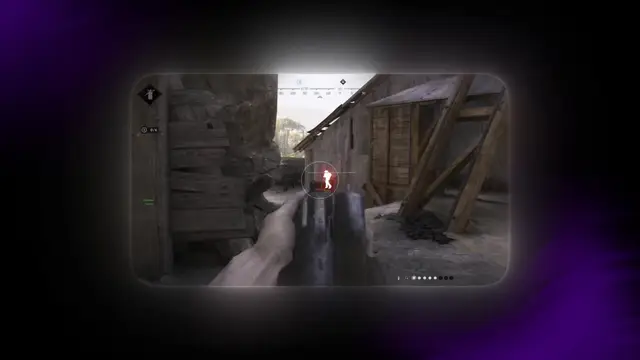
Hunt Showdown aimbot rewards patience more than rage settings. High TTK and one-shot headshots mean a wide FOV snap gets you reported fast — this guide walks through legit-looking setup before you buy.
Step 1 — Install and verify loader version
After checkout, download the loader from your order page and confirm the build matches the cheat status page before Steam opens Hunt.
Run a quick play session with aimbot disabled first. Confirm ESP layers work, then enable aim assist in the menu.
Step 2 — FOV and smoothness for lever-actions
Start FOV at 15–20° and smoothness above 60% on Sparks and Winfield. Widen only when ESP already tells you where hunters are.
Visibility checks must stay ON — tracking through barn walls without ESP is an obvious tell.
Pair with recoil control on automatic weapons if you run longer fights.
Step 3 — Bone priority by range
Head priority for shotgun pushes under 15m. Upper chest for mid-range lever duels where head glitches are common.
Disable aimbot during stealth extracts — information from radar matters more than combat assists when you are rotating out.
Hunt Showdown cheat pages
Buy and compare these Hunt Showdown cheat features — ESP, aimbot, wallhack, and radar from $35/mo.
Related Hunt Showdown cheat guides
Hunt Showdown ESP Guide: See Hunters Through Walls
Hunt Showdown ESP guide — player boxes, health bars, skeleton wallhack & boss ESP settings. Learn before you buy Hunt Showdown cheats from $35/mo.
ESP guideHunt Showdown Cheats Beginners Guide
Hunt Showdown cheats for beginners — ESP, radar, aimbot setup & extract habits. Start with Hunt Showdown cheats from $35/mo. Step-by-step bayou guide.
Hunt Showdown Cheats Beginners GuideHunt Showdown Anti-Cheat & Cheat Safety Guide
Hunt Showdown anti-cheat guide — patch updates, ban risk & stream-proof tips for Hunt Showdown cheats. Stay safe with ESP & aimbot in 2026.
Anti Cheat Analysis